
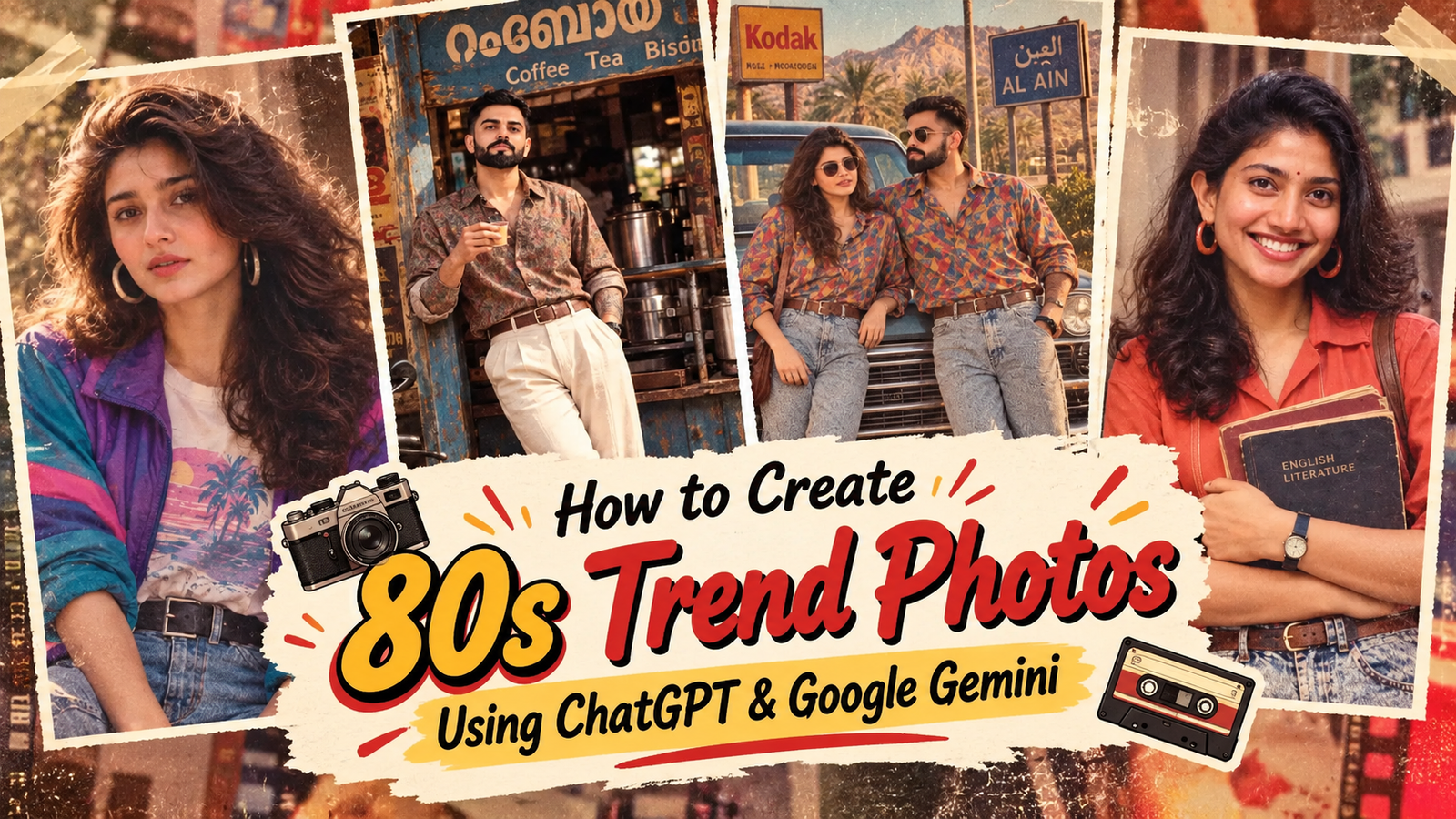
80s Trend ChatGPT Prompt: How to Create Viral 1980s Photos Using ChatGPT & Google Gemini, Jai Shree Ram ,Hi friends, As you know, on Instagram, a new trending trend is going viral, which is the 80s trend, where people are converting their photos into the look of 1980s Bollywood films. In 80s movie shoots, this style is going viral on Instagram, and every creator is transforming their images into an 80s Bollywood-style photo. If you also want to know how you can convert your image into this viral 80s image, read this article till the end.
On Vrinda AI, we share authentic and 100% accurate prompts that can help you transform your image into a viral trending image. If you are my old subscriber, you already know this. If you want to know how we can convert our image into the viral 80s trend using ChatGPT or Google Gemini, two popular AI tools, including Nano Banana, then in this article, I want to share my personal experience of how we can generate this image.
All the images we use in this article are for educational purposes only, to demonstrate how you can generate similar images using ChatGPT. If you face any issues or have any questions, please feel free to email us.
In this article, I am not sharing too many prompts. I have made a single universal prompt for this trend. But before generating the image, you must know the proper process to generate it.
How to Generate Viral 80s Trend Photo Using ChatGPT
To generate an 80s viral image, you must follow these steps:
Step 1: Go to the ChatGPT Official Website(https://chatgpt.com/images).
Step 2: Click on the Images section, which is located in the sidebar.
Step 3: Upload the reference image first, and then upload the image that you want to convert into the trend. After that, paste our below prompt, which will transform your image into a viral 80s-style image. Then press Submit. This will start generating your image.
Step 4: Wait for a few seconds. Once the image is generated, you can download it and share it on social media platforms like Instagram and Facebook.
How to Generate Viral 80s Trend Photo Using Google Gemini
To generate an 80s viral image, you must follow these steps:
Step 1: Go to the Google Gemini Official Website (https://gemini.google.com/).
Step 2: Click on the New Chat section, which is located in the sidebar.
Step 3: Upload the reference image first, and then upload the image that you want to convert into the trend. After that, paste our below prompt, which will transform your image into a viral 80s-style image. Then press Submit. This will start generating your image.
Step 4: Wait for a few seconds. Once the image is generated, you can download it and share it on social media platforms like Instagram and Facebook.
By following this simple method, you can generate a viral 80s trend image using ChatGPT and Google Gemini for free.Thanks for reading our article. Jai Shree Ram 🙏

Join Us on WhatsApp for the Latest AI Prompts
Example : viral 80s photo prompt
If you want to generate with chatgpt you need one reference image another one is your photo like below image then paste bleow image then press submit hti sill start generaing your image

REFERENCE IMAGE 1 apply on second image = IDENTITY ANCHOR

USER REQUEST = TRANSFORMATION INSTRUCTION

First analyze the reference image and identify:
1. Face identity
2. Facial structure
3. Hair
4. Clothing
5. Accessories
6. Pose
7. Body proportions
8. Composition
9. Camera perspective
10. Background
11. Lighting
12. Image characteristics

Preserve all reference attributes unless the user's request explicitly
asks to change them.

Apply the user's requested transformation only to the relevant attributes.

PRIORITY ORDER:
Identity preservation > pose/composition preservation > requested transformation
> stylistic enhancement.

Never replace the subject with a newly generated person merely because the
requested style belongs to another era.
viral 80s photo prompt for girls
Example 1:
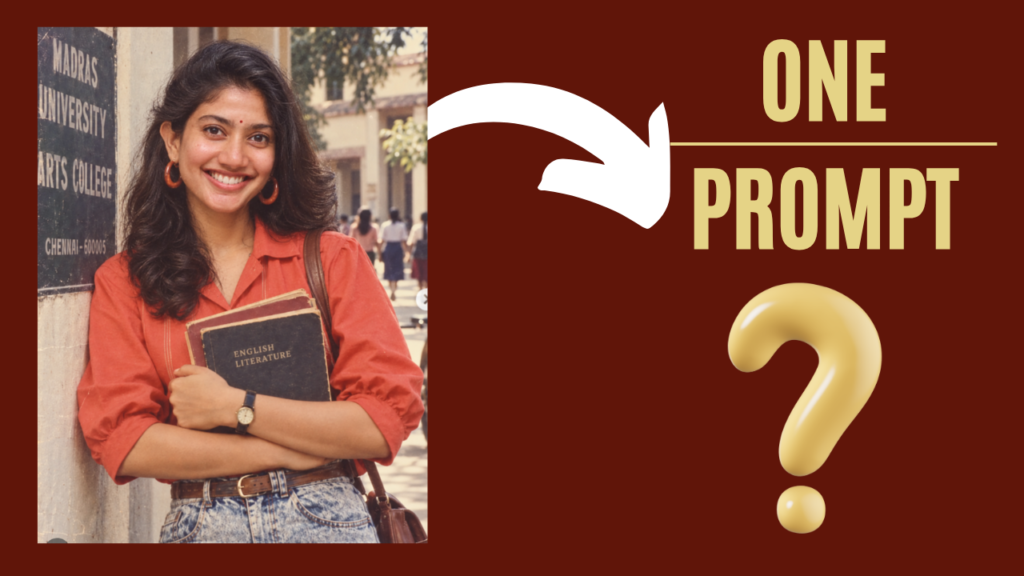
REFERENCE IMAGE 1 apply on second image = IDENTITY ANCHOR

USER REQUEST = TRANSFORMATION INSTRUCTION

First analyze the reference image and identify:
1. Face identity
2. Facial structure
3. Hair
4. Clothing
5. Accessories
6. Pose
7. Body proportions
8. Composition
9. Camera perspective
10. Background
11. Lighting
12. Image characteristics

Preserve all reference attributes unless the user's request explicitly
asks to change them.

Apply the user's requested transformation only to the relevant attributes.

PRIORITY ORDER:
Identity preservation > pose/composition preservation > requested transformation
> stylistic enhancement.

Never replace the subject with a newly generated person merely because the
requested style belongs to another era.
Example 2:
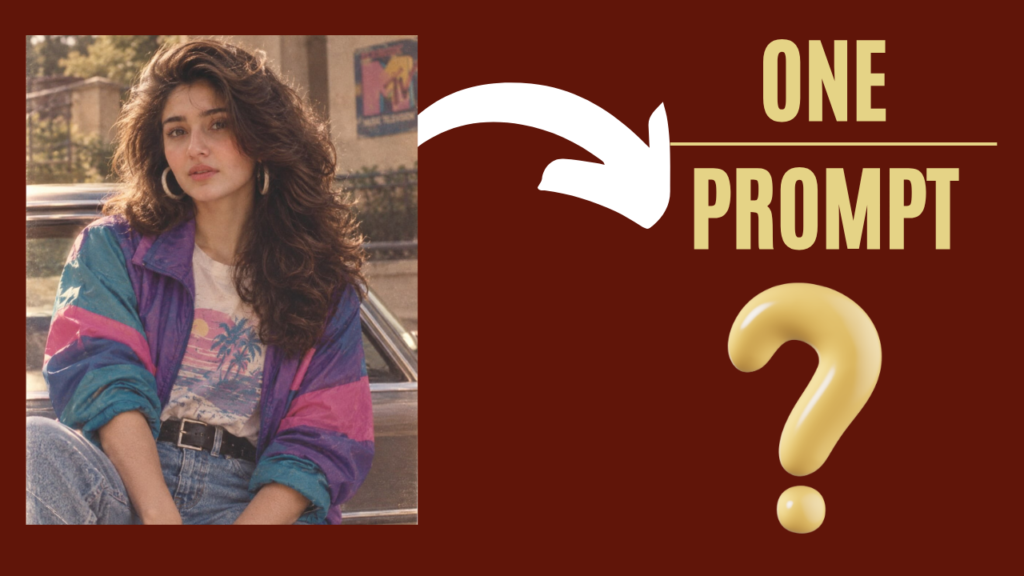
REFERENCE IMAGE 1 apply on second image = IDENTITY ANCHOR

USER REQUEST = TRANSFORMATION INSTRUCTION

First analyze the reference image and identify:
1. Face identity
2. Facial structure
3. Hair
4. Clothing
5. Accessories
6. Pose
7. Body proportions
8. Composition
9. Camera perspective
10. Background
11. Lighting
12. Image characteristics

Preserve all reference attributes unless the user's request explicitly
asks to change them.

Apply the user's requested transformation only to the relevant attributes.

PRIORITY ORDER:
Identity preservation > pose/composition preservation > requested transformation
> stylistic enhancement.

Never replace the subject with a newly generated person merely because the
requested style belongs to another era.
Example 3:
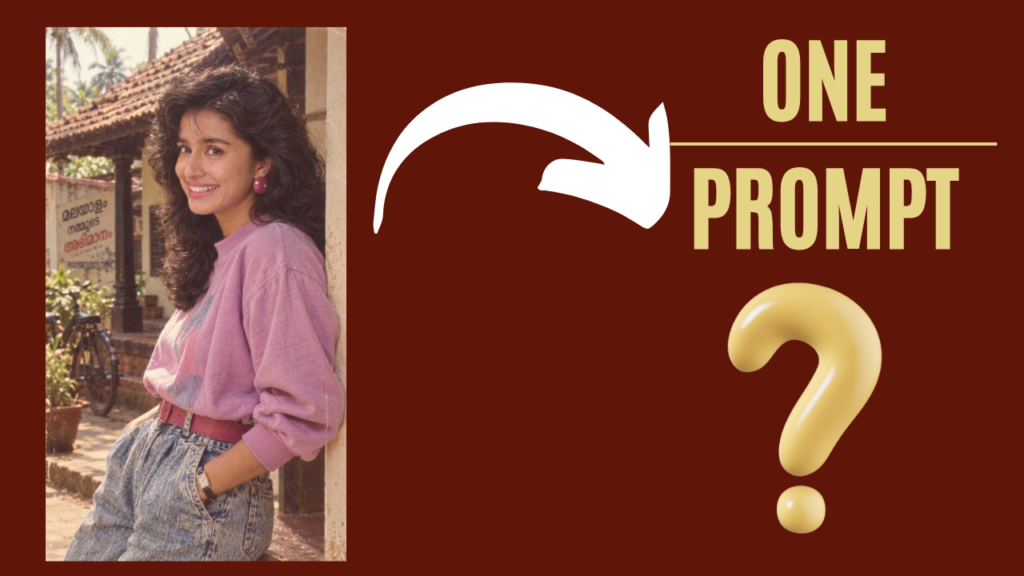
REFERENCE IMAGE 1 apply on second image = IDENTITY ANCHOR

USER REQUEST = TRANSFORMATION INSTRUCTION

First analyze the reference image and identify:
1. Face identity
2. Facial structure
3. Hair
4. Clothing
5. Accessories
6. Pose
7. Body proportions
8. Composition
9. Camera perspective
10. Background
11. Lighting
12. Image characteristics

Preserve all reference attributes unless the user's request explicitly
asks to change them.

Apply the user's requested transformation only to the relevant attributes.

PRIORITY ORDER:
Identity preservation > pose/composition preservation > requested transformation
> stylistic enhancement.

Never replace the subject with a newly generated person merely because the
requested style belongs to another era.
Example 4:
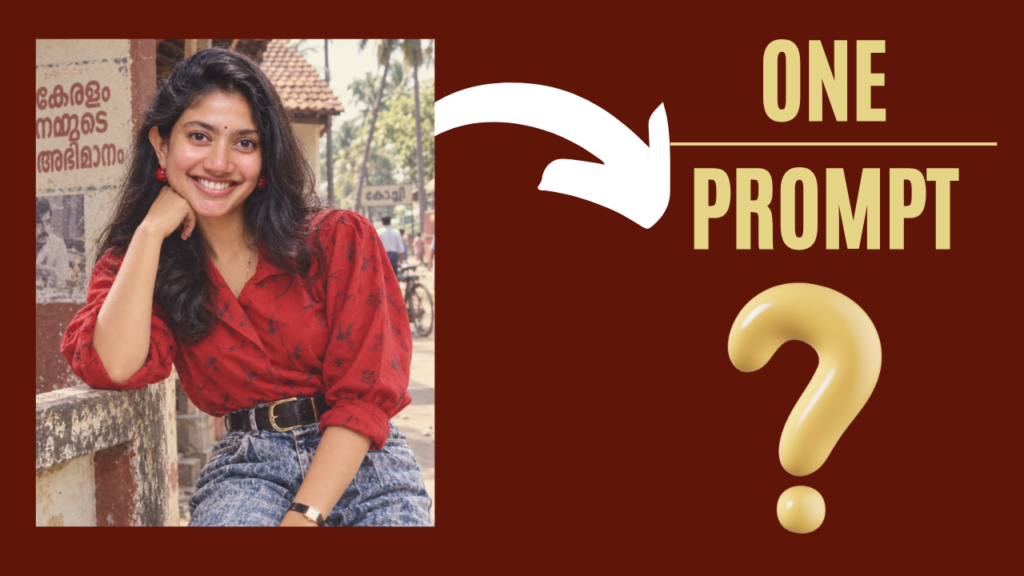
REFERENCE IMAGE 1 apply on second image = IDENTITY ANCHOR

USER REQUEST = TRANSFORMATION INSTRUCTION

First analyze the reference image and identify:
1. Face identity
2. Facial structure
3. Hair
4. Clothing
5. Accessories
6. Pose
7. Body proportions
8. Composition
9. Camera perspective
10. Background
11. Lighting
12. Image characteristics

Preserve all reference attributes unless the user's request explicitly
asks to change them.

Apply the user's requested transformation only to the relevant attributes.

PRIORITY ORDER:
Identity preservation > pose/composition preservation > requested transformation
> stylistic enhancement.

Never replace the subject with a newly generated person merely because the
requested style belongs to another era.
viral 80s photo prompt for boys
Example 1:
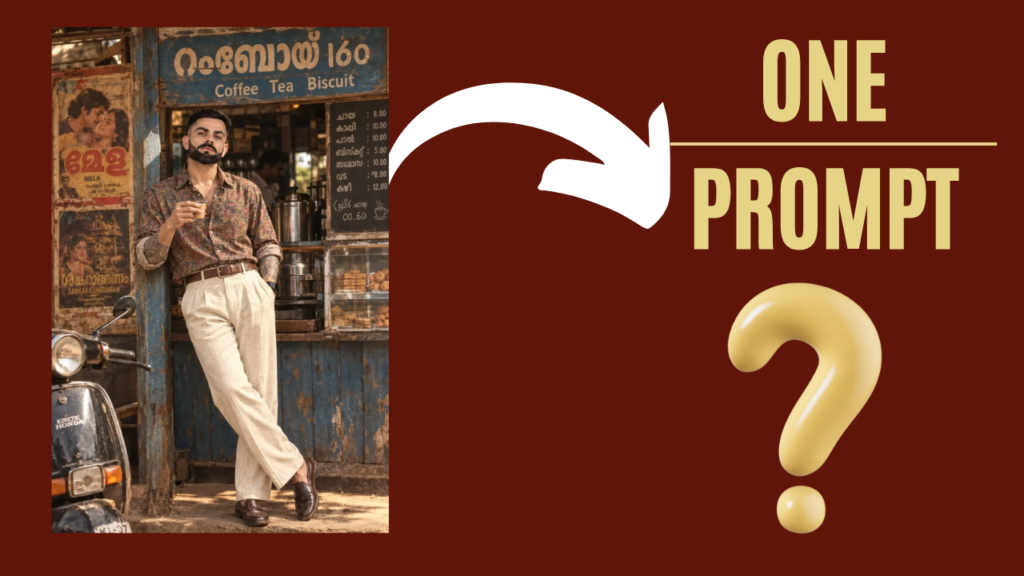
REFERENCE IMAGE 1 apply on second image = IDENTITY ANCHOR

USER REQUEST = TRANSFORMATION INSTRUCTION

First analyze the reference image and identify:
1. Face identity
2. Facial structure
3. Hair
4. Clothing
5. Accessories
6. Pose
7. Body proportions
8. Composition
9. Camera perspective
10. Background
11. Lighting
12. Image characteristics

Preserve all reference attributes unless the user's request explicitly
asks to change them.

Apply the user's requested transformation only to the relevant attributes.

PRIORITY ORDER:
Identity preservation > pose/composition preservation > requested transformation
> stylistic enhancement.

Never replace the subject with a newly generated person merely because the
requested style belongs to another era.
Example 2:
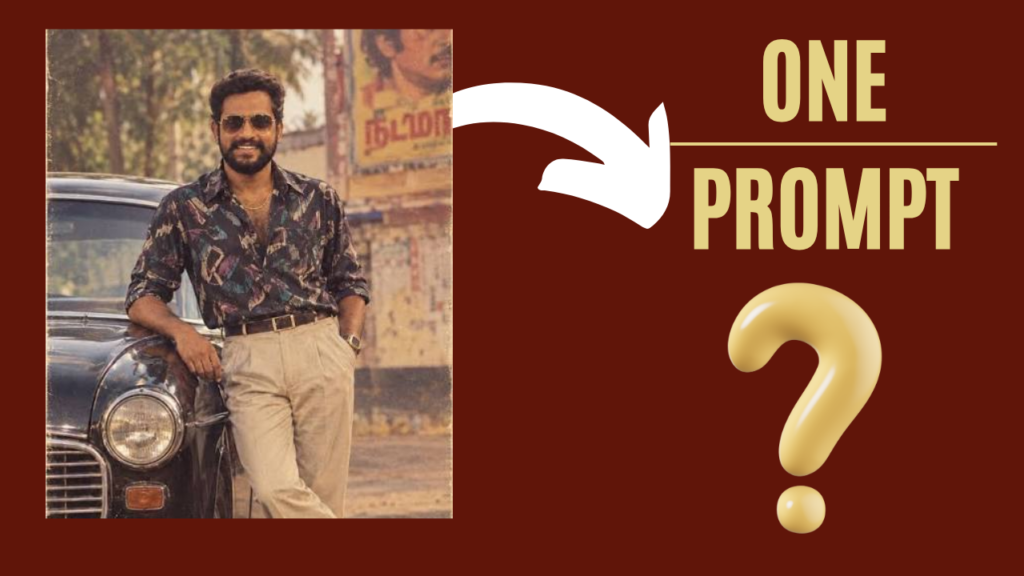
REFERENCE IMAGE 1 apply on second image = IDENTITY ANCHOR

USER REQUEST = TRANSFORMATION INSTRUCTION

First analyze the reference image and identify:
1. Face identity
2. Facial structure
3. Hair
4. Clothing
5. Accessories
6. Pose
7. Body proportions
8. Composition
9. Camera perspective
10. Background
11. Lighting
12. Image characteristics

Preserve all reference attributes unless the user's request explicitly
asks to change them.

Apply the user's requested transformation only to the relevant attributes.

PRIORITY ORDER:
Identity preservation > pose/composition preservation > requested transformation
> stylistic enhancement.

Never replace the subject with a newly generated person merely because the
requested style belongs to another era.
viral 80s photo prompt for couple
If you want to generate a viral 80s couple image, you first need two images: one reference image and another image of the couple (boy and girl). Then, use the prompt given below. This will generate an image in the same style as the reference image.
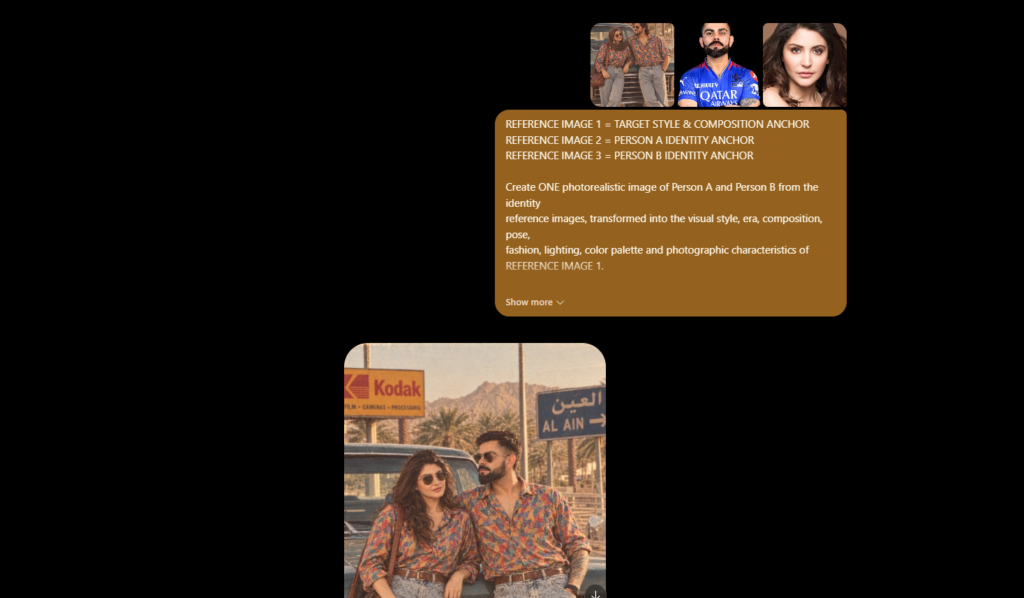
Example 1:
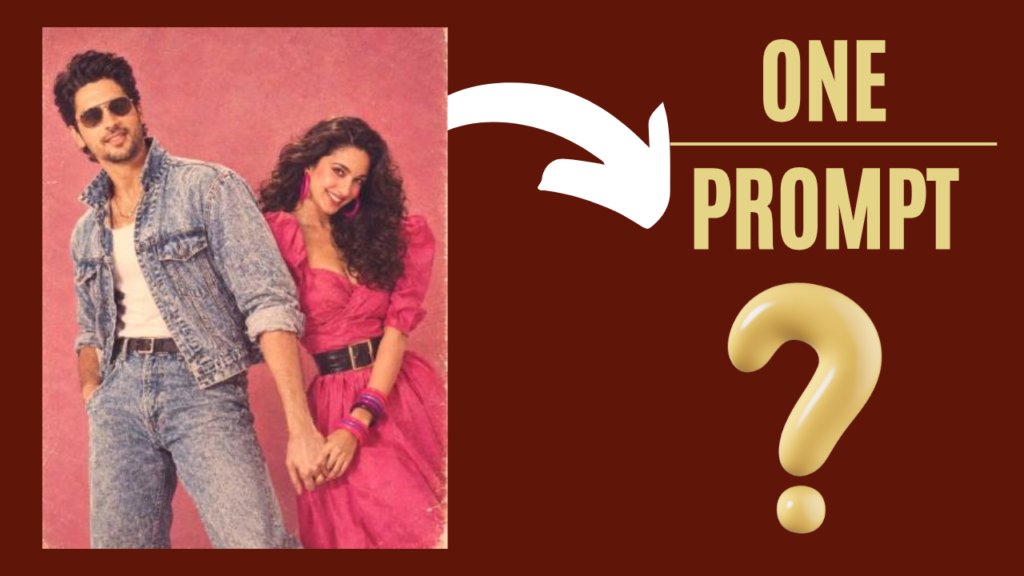
REFERENCE IMAGE 1 = TARGET STYLE & COMPOSITION ANCHOR
REFERENCE IMAGE 2 = PERSON A IDENTITY ANCHOR
REFERENCE IMAGE 3 = PERSON B IDENTITY ANCHOR

Create ONE photorealistic image of Person A and Person B from the identity
reference images, transformed into the visual style, era, composition, pose,
fashion, lighting, color palette and photographic characteristics of
REFERENCE IMAGE 1.

IMPORTANT:
REFERENCE IMAGE 1 defines HOW the final image should look.
REFERENCE IMAGES 2 and 3 define WHO the people are.

Do NOT copy the identities of people appearing in Reference Image 1.
Replace the people in Reference Image 1 with Person A and Person B while
preserving their recognizable identities from their own reference images.

IDENTITY PRESERVATION:
Use Reference Image 2 as the primary identity reference for Person A.
Use Reference Image 3 as the primary identity reference for Person B.

Preserve for each person:
- recognizable facial identity
- facial structure and proportions
- eyes
- eyebrows
- nose
- lips
- jawline
- skin tone
- hair characteristics where compatible with the target styling
- approximate body proportions
- natural physical appearance

Do not merge the two identities.
Do not make them look like the people from Reference Image 1.
Do not create generic faces.
Do not unnecessarily beautify, age, de-age or alter their facial identity.

TARGET IMAGE RECONSTRUCTION:

Analyze Reference Image 1 and reproduce its visual language as closely as
possible, including:

COMPOSITION:
Match the target reference's:
- overall framing
- aspect ratio
- camera distance
- camera height
- perspective
- subject placement
- relative scale of both people
- body positioning
- head positioning
- negative space
- foreground/background relationship

POSE & INTERACTION:
Recreate the same overall couple pose and body-language pattern from
Reference Image 1.

Adapt the pose naturally to Person A and Person B's anatomy.
Their hands, arms, shoulders and body positions must look anatomically
correct and naturally connected.

Maintain the same relationship between the two people:
- who stands in front
- who stands behind
- relative height
- distance between them
- direction of their bodies
- direction of their faces
- interaction between their hands/body

FASHION:
Extract the clothing concept, silhouette, colors, fabrics and accessories
from Reference Image 1.

Recreate equivalent period-appropriate clothing on Person A and Person B,
adapted naturally to their bodies.

Do not blindly copy impossible clothing geometry.
Preserve the recognizable fashion language of the target reference.

HAIR:
Recreate the target reference's hairstyle and period styling while retaining
each person's natural hair characteristics where possible.

ERA:
Match the exact apparent historical era of Reference Image 1.

Reproduce:
- period fashion
- hairstyle
- accessories
- makeup
- photography
- environment
- styling
- visual imperfections
appropriate to that era.

BACKGROUND:
Recreate the target reference's background type, color, texture, depth,
architectural/environmental character and visual simplicity.

Do not introduce unrelated modern objects.

LIGHTING:
Match Reference Image 1's:
- light direction
- softness
- shadow behavior
- exposure
- highlights
- skin illumination
- background illumination
- overall mood

COLOR:
Match the target reference's color palette, including:
- dominant background color
- clothing colors
- skin-tone rendering
- saturation
- contrast
- warmth/coolness
- highlight and shadow colors

CAMERA & PHOTOGRAPHIC CHARACTER:
Reproduce the target reference's apparent camera characteristics:
- lens perspective
- depth of field
- focus
- sharpness
- grain
- exposure
- softness
- film texture
- color response
- analog imperfections
- aging/scanning characteristics
- vintage photographic texture

If the target image is an old photograph, preserve the authentic imperfections
of old photography rather than producing a clean modern digital photograph.

REALISM:
Photorealistic human anatomy.
Natural skin texture.
Natural facial proportions.
Correct hands and fingers.
Correct limbs and joints.
Realistic hair.
Realistic fabric folds.
Physically believable lighting.
Natural interaction between both people.

MOST IMPORTANT PRIORITY:

REFERENCE IMAGE 1 = visual target.
REFERENCE IMAGE 2 = Person A identity.
REFERENCE IMAGE 3 = Person B identity.

Transfer the VISUAL WORLD of Reference Image 1 onto the PEOPLE from
References 2 and 3.

The final image should feel as though Person A and Person B were originally
photographed together in the exact era, fashion, photographic process,
composition and visual environment represented by Reference Image 1.

Do not create a modern couple photo with a vintage filter.
Create an authentic photograph belonging to the same visual era and
photographic world as Reference Image 1.

OUTPUT:
ONE single finished photorealistic couple photograph.
No collage.
No split screen.
No multiple versions.
No reference-image borders.
No visible AI artifacts.
Example 2:
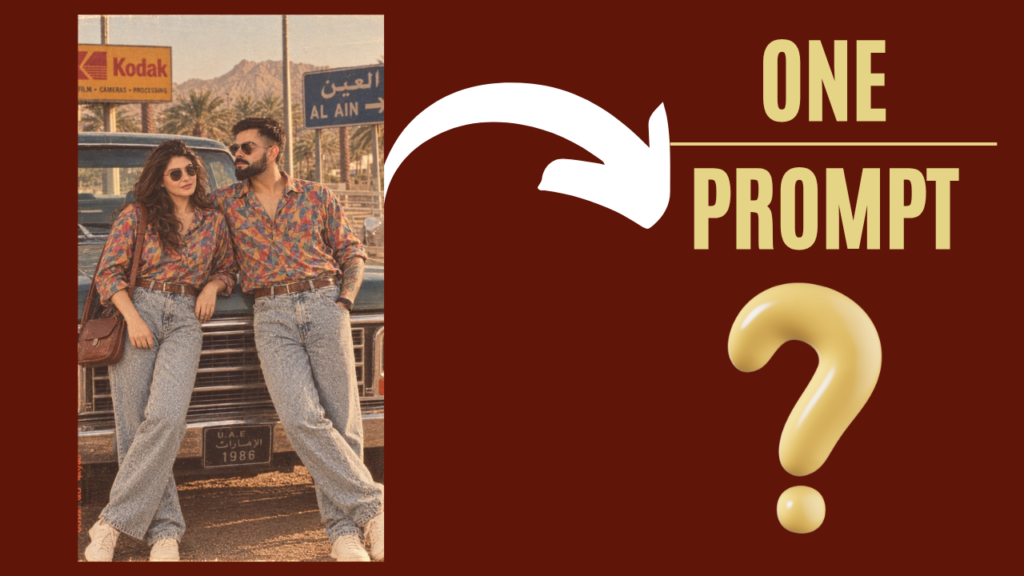
REFERENCE IMAGE 1 = TARGET STYLE & COMPOSITION ANCHOR
REFERENCE IMAGE 2 = PERSON A IDENTITY ANCHOR
REFERENCE IMAGE 3 = PERSON B IDENTITY ANCHOR

Create ONE photorealistic image of Person A and Person B from the identity
reference images, transformed into the visual style, era, composition, pose,
fashion, lighting, color palette and photographic characteristics of
REFERENCE IMAGE 1.

IMPORTANT:
REFERENCE IMAGE 1 defines HOW the final image should look.
REFERENCE IMAGES 2 and 3 define WHO the people are.

Do NOT copy the identities of people appearing in Reference Image 1.
Replace the people in Reference Image 1 with Person A and Person B while
preserving their recognizable identities from their own reference images.

IDENTITY PRESERVATION:
Use Reference Image 2 as the primary identity reference for Person A.
Use Reference Image 3 as the primary identity reference for Person B.

Preserve for each person:
- recognizable facial identity
- facial structure and proportions
- eyes
- eyebrows
- nose
- lips
- jawline
- skin tone
- hair characteristics where compatible with the target styling
- approximate body proportions
- natural physical appearance

Do not merge the two identities.
Do not make them look like the people from Reference Image 1.
Do not create generic faces.
Do not unnecessarily beautify, age, de-age or alter their facial identity.

TARGET IMAGE RECONSTRUCTION:

Analyze Reference Image 1 and reproduce its visual language as closely as
possible, including:

COMPOSITION:
Match the target reference's:
- overall framing
- aspect ratio
- camera distance
- camera height
- perspective
- subject placement
- relative scale of both people
- body positioning
- head positioning
- negative space
- foreground/background relationship

POSE & INTERACTION:
Recreate the same overall couple pose and body-language pattern from
Reference Image 1.

Adapt the pose naturally to Person A and Person B's anatomy.
Their hands, arms, shoulders and body positions must look anatomically
correct and naturally connected.

Maintain the same relationship between the two people:
- who stands in front
- who stands behind
- relative height
- distance between them
- direction of their bodies
- direction of their faces
- interaction between their hands/body

FASHION:
Extract the clothing concept, silhouette, colors, fabrics and accessories
from Reference Image 1.

Recreate equivalent period-appropriate clothing on Person A and Person B,
adapted naturally to their bodies.

Do not blindly copy impossible clothing geometry.
Preserve the recognizable fashion language of the target reference.

HAIR:
Recreate the target reference's hairstyle and period styling while retaining
each person's natural hair characteristics where possible.

ERA:
Match the exact apparent historical era of Reference Image 1.

Reproduce:
- period fashion
- hairstyle
- accessories
- makeup
- photography
- environment
- styling
- visual imperfections
appropriate to that era.

BACKGROUND:
Recreate the target reference's background type, color, texture, depth,
architectural/environmental character and visual simplicity.

Do not introduce unrelated modern objects.

LIGHTING:
Match Reference Image 1's:
- light direction
- softness
- shadow behavior
- exposure
- highlights
- skin illumination
- background illumination
- overall mood

COLOR:
Match the target reference's color palette, including:
- dominant background color
- clothing colors
- skin-tone rendering
- saturation
- contrast
- warmth/coolness
- highlight and shadow colors

CAMERA & PHOTOGRAPHIC CHARACTER:
Reproduce the target reference's apparent camera characteristics:
- lens perspective
- depth of field
- focus
- sharpness
- grain
- exposure
- softness
- film texture
- color response
- analog imperfections
- aging/scanning characteristics
- vintage photographic texture

If the target image is an old photograph, preserve the authentic imperfections
of old photography rather than producing a clean modern digital photograph.

REALISM:
Photorealistic human anatomy.
Natural skin texture.
Natural facial proportions.
Correct hands and fingers.
Correct limbs and joints.
Realistic hair.
Realistic fabric folds.
Physically believable lighting.
Natural interaction between both people.

MOST IMPORTANT PRIORITY:

REFERENCE IMAGE 1 = visual target.
REFERENCE IMAGE 2 = Person A identity.
REFERENCE IMAGE 3 = Person B identity.

Transfer the VISUAL WORLD of Reference Image 1 onto the PEOPLE from
References 2 and 3.

The final image should feel as though Person A and Person B were originally
photographed together in the exact era, fashion, photographic process,
composition and visual environment represented by Reference Image 1.

Do not create a modern couple photo with a vintage filter.
Create an authentic photograph belonging to the same visual era and
photographic world as Reference Image 1.

OUTPUT:
ONE single finished photorealistic couple photograph.
No collage.
No split screen.
No multiple versions.
No reference-image borders.
No visible AI artifacts.
Example 3:
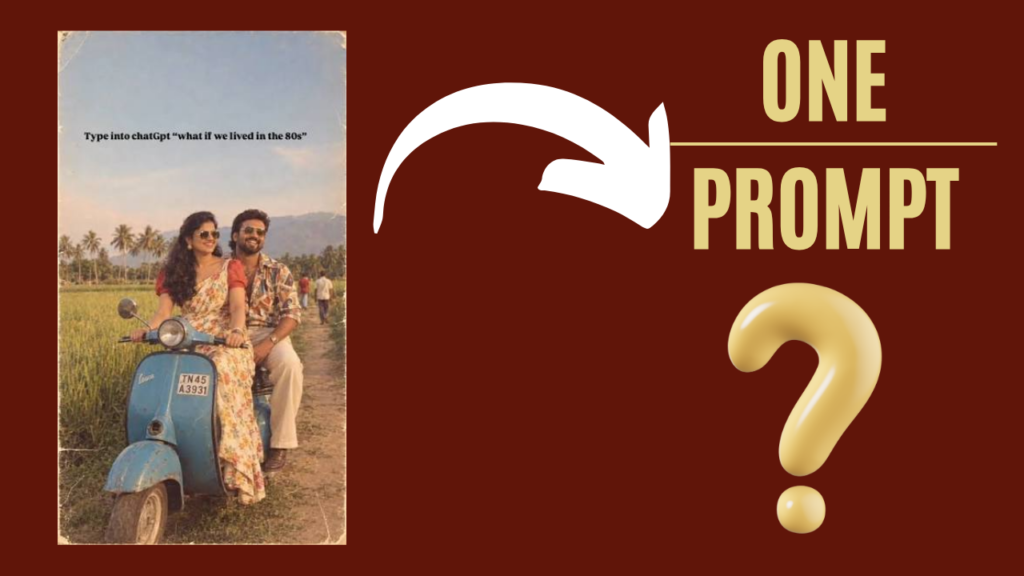
REFERENCE IMAGE 1 = TARGET STYLE & COMPOSITION ANCHOR
REFERENCE IMAGE 2 = PERSON A IDENTITY ANCHOR
REFERENCE IMAGE 3 = PERSON B IDENTITY ANCHOR

Create ONE photorealistic image of Person A and Person B from the identity
reference images, transformed into the visual style, era, composition, pose,
fashion, lighting, color palette and photographic characteristics of
REFERENCE IMAGE 1.

IMPORTANT:
REFERENCE IMAGE 1 defines HOW the final image should look.
REFERENCE IMAGES 2 and 3 define WHO the people are.

Do NOT copy the identities of people appearing in Reference Image 1.
Replace the people in Reference Image 1 with Person A and Person B while
preserving their recognizable identities from their own reference images.

IDENTITY PRESERVATION:
Use Reference Image 2 as the primary identity reference for Person A.
Use Reference Image 3 as the primary identity reference for Person B.

Preserve for each person:
- recognizable facial identity
- facial structure and proportions
- eyes
- eyebrows
- nose
- lips
- jawline
- skin tone
- hair characteristics where compatible with the target styling
- approximate body proportions
- natural physical appearance

Do not merge the two identities.
Do not make them look like the people from Reference Image 1.
Do not create generic faces.
Do not unnecessarily beautify, age, de-age or alter their facial identity.

TARGET IMAGE RECONSTRUCTION:

Analyze Reference Image 1 and reproduce its visual language as closely as
possible, including:

COMPOSITION:
Match the target reference's:
- overall framing
- aspect ratio
- camera distance
- camera height
- perspective
- subject placement
- relative scale of both people
- body positioning
- head positioning
- negative space
- foreground/background relationship

POSE & INTERACTION:
Recreate the same overall couple pose and body-language pattern from
Reference Image 1.

Adapt the pose naturally to Person A and Person B's anatomy.
Their hands, arms, shoulders and body positions must look anatomically
correct and naturally connected.

Maintain the same relationship between the two people:
- who stands in front
- who stands behind
- relative height
- distance between them
- direction of their bodies
- direction of their faces
- interaction between their hands/body

FASHION:
Extract the clothing concept, silhouette, colors, fabrics and accessories
from Reference Image 1.

Recreate equivalent period-appropriate clothing on Person A and Person B,
adapted naturally to their bodies.

Do not blindly copy impossible clothing geometry.
Preserve the recognizable fashion language of the target reference.

HAIR:
Recreate the target reference's hairstyle and period styling while retaining
each person's natural hair characteristics where possible.

ERA:
Match the exact apparent historical era of Reference Image 1.

Reproduce:
- period fashion
- hairstyle
- accessories
- makeup
- photography
- environment
- styling
- visual imperfections
appropriate to that era.

BACKGROUND:
Recreate the target reference's background type, color, texture, depth,
architectural/environmental character and visual simplicity.

Do not introduce unrelated modern objects.

LIGHTING:
Match Reference Image 1's:
- light direction
- softness
- shadow behavior
- exposure
- highlights
- skin illumination
- background illumination
- overall mood

COLOR:
Match the target reference's color palette, including:
- dominant background color
- clothing colors
- skin-tone rendering
- saturation
- contrast
- warmth/coolness
- highlight and shadow colors

CAMERA & PHOTOGRAPHIC CHARACTER:
Reproduce the target reference's apparent camera characteristics:
- lens perspective
- depth of field
- focus
- sharpness
- grain
- exposure
- softness
- film texture
- color response
- analog imperfections
- aging/scanning characteristics
- vintage photographic texture

If the target image is an old photograph, preserve the authentic imperfections
of old photography rather than producing a clean modern digital photograph.

REALISM:
Photorealistic human anatomy.
Natural skin texture.
Natural facial proportions.
Correct hands and fingers.
Correct limbs and joints.
Realistic hair.
Realistic fabric folds.
Physically believable lighting.
Natural interaction between both people.

MOST IMPORTANT PRIORITY:

REFERENCE IMAGE 1 = visual target.
REFERENCE IMAGE 2 = Person A identity.
REFERENCE IMAGE 3 = Person B identity.

Transfer the VISUAL WORLD of Reference Image 1 onto the PEOPLE from
References 2 and 3.

The final image should feel as though Person A and Person B were originally
photographed together in the exact era, fashion, photographic process,
composition and visual environment represented by Reference Image 1.

Do not create a modern couple photo with a vintage filter.
Create an authentic photograph belonging to the same visual era and
photographic world as Reference Image 1.

OUTPUT:
ONE single finished photorealistic couple photograph.
No collage.
No split screen.
No multiple versions.
No reference-image borders.
No visible AI artifacts.