
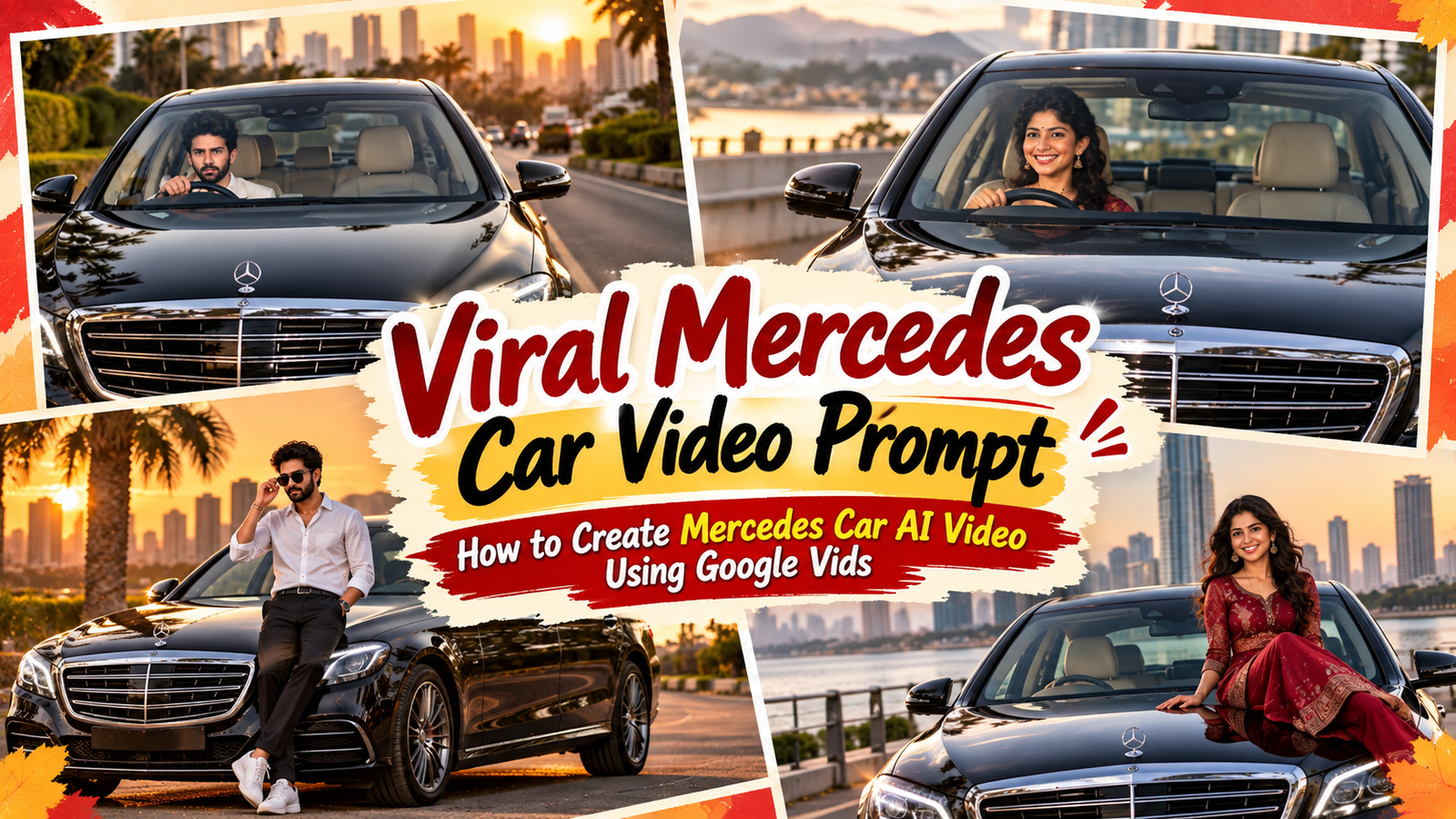
Viral mercedes car video prompt: how to create mercedes car ai video using google vids: Jai Shree Ram friends As you know, a new trend has started trending on social media — the Mercedes Car AI Video Trend. Basically, creators are transforming their normal photos into realistic images where they are sitting inside or driving a Mercedes, and then turning those AI-generated images into cinematic videos.
This kind of AI video is becoming popular on Instagram. If you follow Instagram, you may have already seen many creators making these types of AI videos using tools like Google Flow and Google Vids. You can use ChatGPT to transform your normal photo into a realistic Mercedes car AI photo and then convert that image into a video using Google Vids.
In this article, I am sharing my personal experience of how to create a viral-style Mercedes Car AI Video using ChatGPT and Google Vids.
I chose Google Vids because it currently offers a freemium experience, and if you are a beginner, you can easily understand how it works. If you have already used tools like Google Docs or Google Sheets, you will find Google Vids quite easy to understand because the interface feels familiar.
The prompts I am sharing on Vrinda AI are tried and tested by the Vrinda AI team. We make sure the prompts are useful and actually help you create the type of images and videos described in this article.
The characters and images used in this article are for educational purposes only. If you face any problem while using these prompts or have any suggestions, feel free to let me know by email.
If you are an Instagram creator, you may have noticed that AI photo trends have been booming this month. First, we saw the 80s AI Photo Trend, followed by the Radha Ashtami AI Photo Trend, and then the Petrol Pump AI Photo Trend. We also recently covered the Bhagwan Ji Car Driving AI Photo Trend, where creators are using AI to create unique devotional car-driving photos with Google Gemini.
Now, the Mercedes Car AI Video Trend is getting attention on Instagram. In this article, I will show you how to create a realistic Mercedes Car AI Photo using ChatGPT and then transform that image into an AI video using Google Vids.
How to Create a Mercedes Car AI Photo Using ChatGPT?
Creating a Mercedes AI photo is quite simple. Just follow the steps below.
Step 1: Open ChatGPT
First, go to the official ChatGPT website and sign in to your account.
Step 2: Open the Images Section
Once you are inside ChatGPT, click on the Images section from the sidebar.
Step 3: Upload Your Photo and Add the Prompt
On the Images page, upload the photo that you want to transform into a realistic Mercedes car AI photo.
After uploading your image, paste the Mercedes AI photo prompt that I have shared below and click Generate.
Make sure you upload a clear photo so that ChatGPT can better preserve your face and overall appearance.
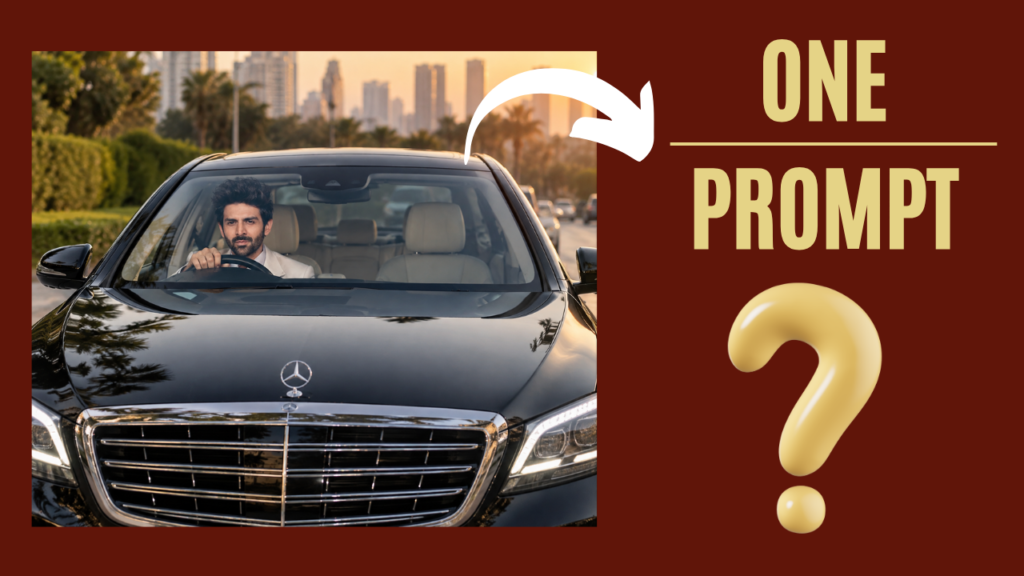
    Turn my uploaded photo into a viral-looking ultra-realistic luxury car portrait.

Keep my exact face, identity, skin tone, hairstyle, facial hair, and natural features unchanged. Do not create a new face.

Place me sitting confidently in the driver's seat of a glossy black premium luxury sedan. Capture the scene from the front of the car, with the large grille and LED headlights dominating the foreground while my face is naturally visible through the windshield.

Make the car look expensive, polished, and photorealistic. Add realistic windshield reflections, subtle sunlight, natural shadows, glossy black paint reflections, detailed grille chrome, realistic headlights, and authentic outdoor surroundings.

My face should be sharp and naturally illuminated through the windshield. Keep my expression relaxed and confident. Make my body position, hands on the steering wheel, shoulders, and posture completely natural.

Use professional automotive photography, realistic camera optics, cinematic depth, high-detail skin texture, natural colors, realistic reflections, and premium photographic lighting.

Make it look like a real photograph taken outside a luxury car, not an AI image.

No text, captions, watermark, artificial-looking skin, face distortion, extra fingers, deformed hands, duplicate person, unrealistic reflections, or cartoon effects.
Step 4: Generate and Save Your AI Photo
Wait for a few seconds while ChatGPT processes your request and generates the image.
Once your Mercedes AI photo is ready, you can download it and save it to your PC or phone.
Now your AI photo is ready. The next step is to turn this image into a cinematic AI video.
Output:
How to Create a Mercedes Car AI Video Using Google Vids?
Now let’s convert the Mercedes AI photo into a video using Google Vids.
Step 1: Open Google Vids
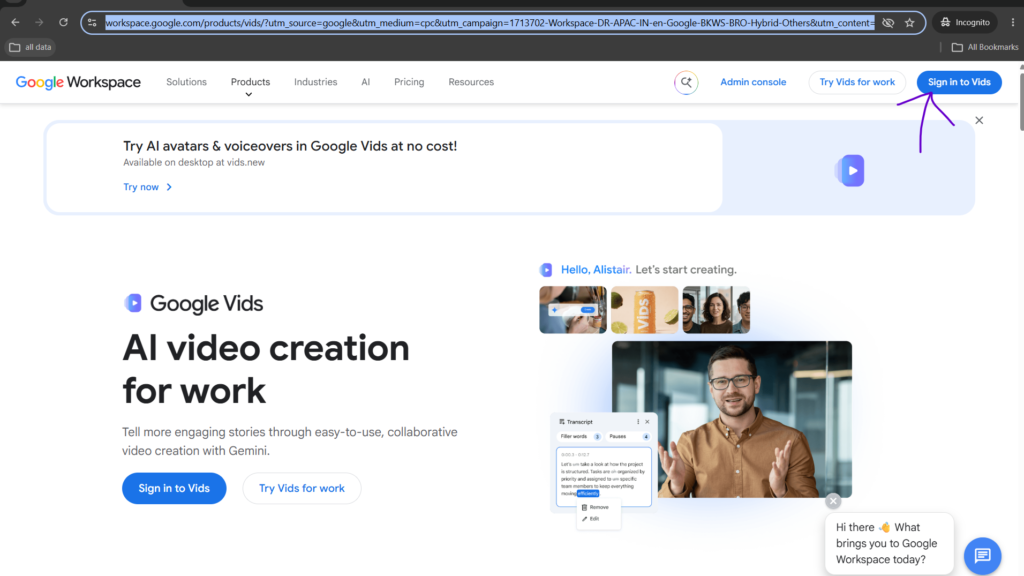
First, go to the official Google Vids website and sign in using your Google/Gmail account.
Step 2: Start a New Video
Once you are signed in, you will see the Start a new video option.
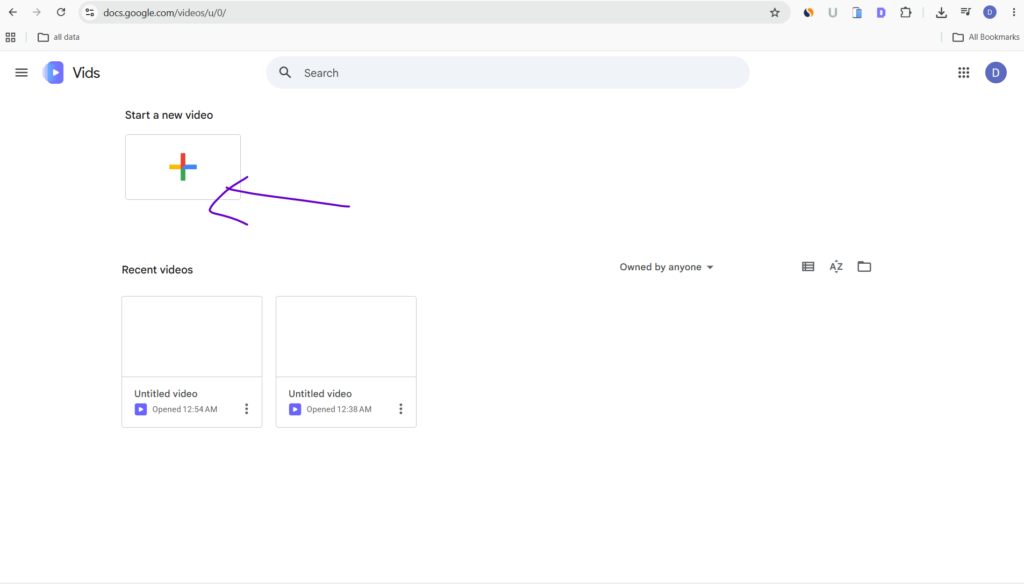
Click on it. Google Vids will then ask you to choose your video format or resolution, such as portrait or landscape.
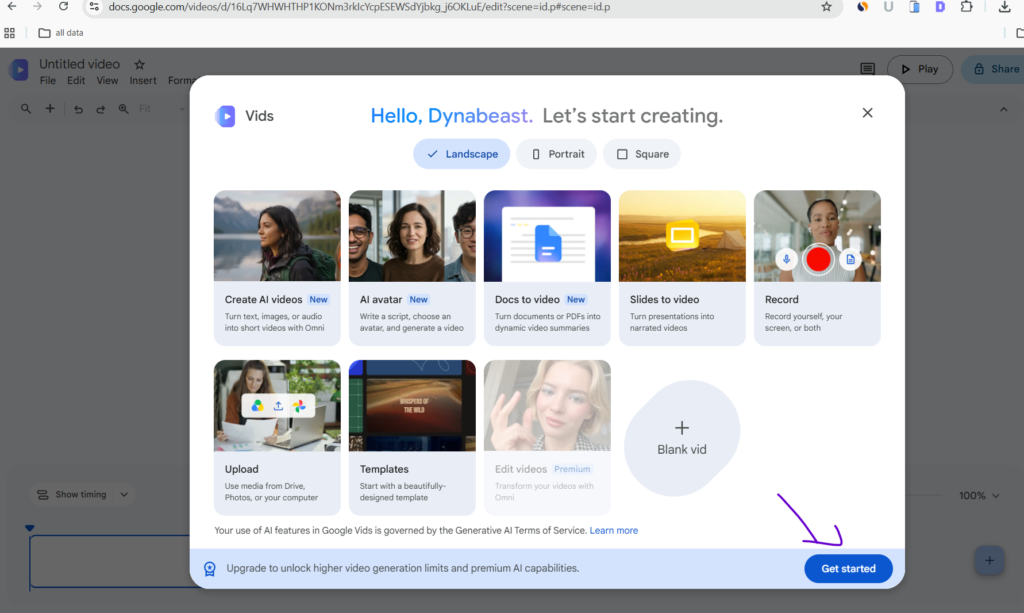
If you are creating the video specifically for Instagram Reels, choose the format that best fits your requirement.
After selecting your format, create the video project.
Step 3: Upload Your Mercedes AI Photo
You will now see a blank video editing page.
Upload the Mercedes AI image that you created using ChatGPT.
Select the image and look for the option to convert the image into a video. Use this feature and paste the AI video prompt that I have shared below.
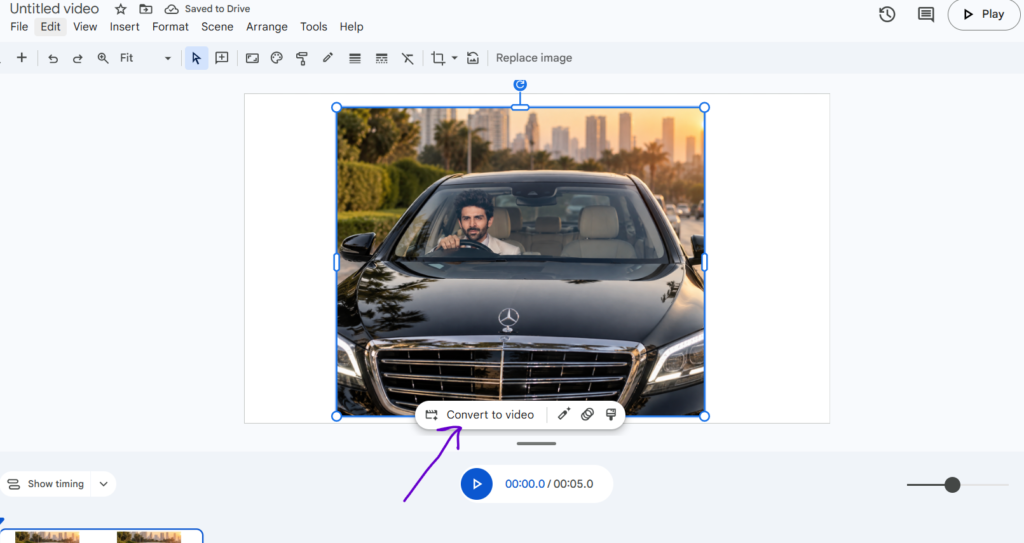
Click Generate and wait for Google Vids to create your video.
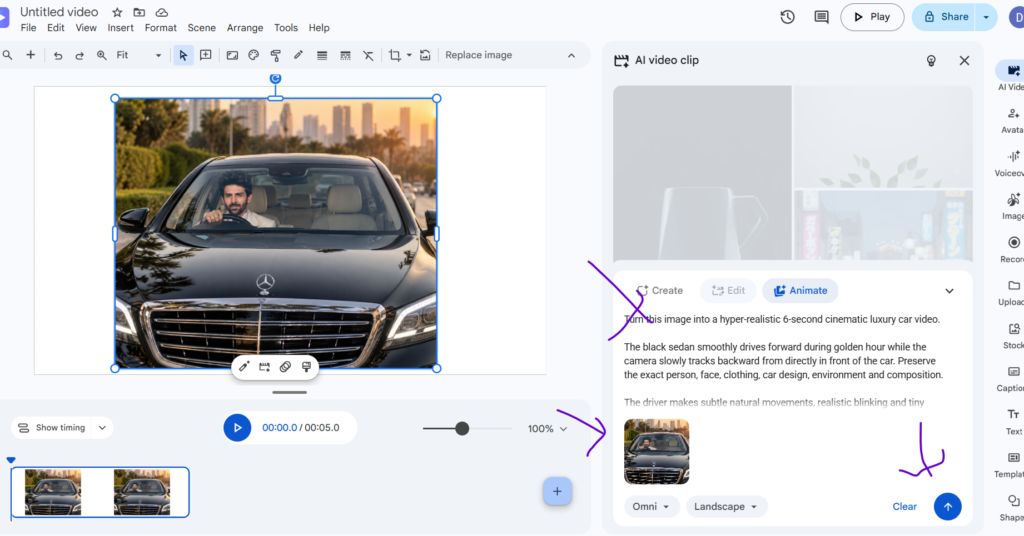
The tool will animate your image and create a cinematic AI video similar to the type of Mercedes videos you may have seen trending on Instagram.
Step 4: Download Your AI Video
Once your video has been generated and you are satisfied with the result, click on the File menu in the top-right corner.
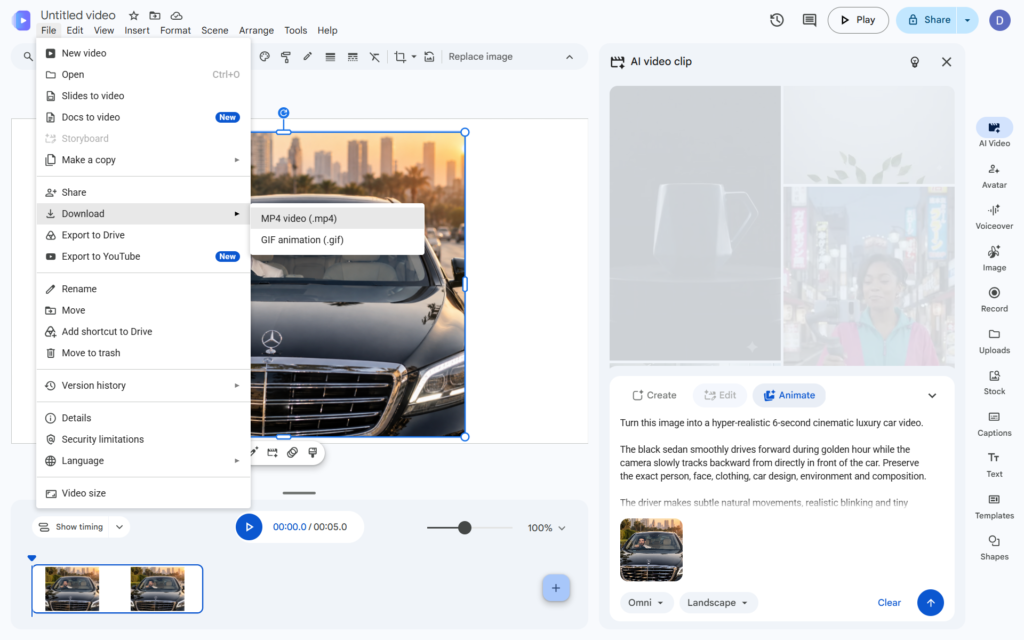
From the menu, select Download and save the video in MP4 format. That’s it! By following these simple steps, you can create your own Mercedes Car AI Photo and convert it into a cinematic Mercedes Car AI Video using ChatGPT and Google Vids.
   Turn this image into a hyper-realistic 6-second cinematic luxury car video.

The black sedan smoothly drives forward during golden hour while the camera slowly tracks backward from directly in front of the car. Preserve the exact person, face, clothing, car design, environment and composition.

The driver makes subtle natural movements, realistic blinking and tiny head movement while keeping control of the steering wheel. Wheels rotate naturally and the vehicle has realistic suspension movement.

Palm trees, distant traffic and the city background move naturally with realistic parallax. Golden sunlight changes subtly across the windshield and glossy black hood. Palm trees, sky and surroundings create physically accurate moving reflections across the car body.

Professional automotive commercial cinematography, smooth camera movement, realistic motion blur, natural depth of field, HDR, realistic skin texture, physically accurate lighting, extremely detailed reflections, photorealistic 4K footage.

No face changes, no morphing, no distorted hands, no extra fingers, no warped vehicle, no changing car design, no artificial movement, no text or watermark.
If you are an Instagram creator, you can experiment with different camera movements, driving scenes, lighting, outfits and cinematic styles to create your own unique version of this trend. Thanks for reading this article on Vrinda AI. Jai Shree Ram

Join Us on WhatsApp for the Latest AI Prompts
Mercedes car ai photo Prompt for boys
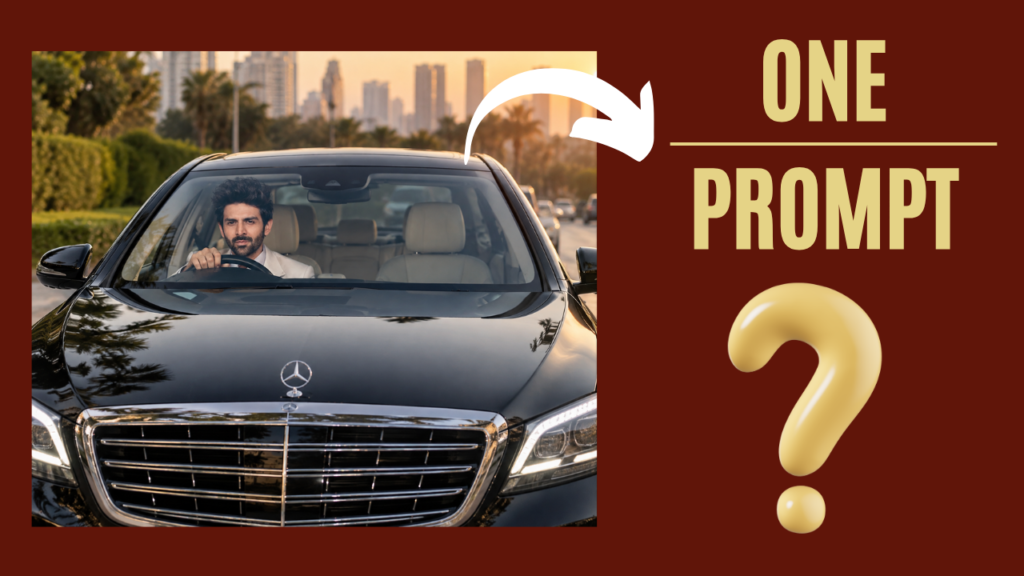
    Turn my uploaded photo into a viral-looking ultra-realistic luxury car portrait.

Keep my exact face, identity, skin tone, hairstyle, facial hair, and natural features unchanged. Do not create a new face.

Place me sitting confidently in the driver's seat of a glossy black premium luxury sedan. Capture the scene from the front of the car, with the large grille and LED headlights dominating the foreground while my face is naturally visible through the windshield.

Make the car look expensive, polished, and photorealistic. Add realistic windshield reflections, subtle sunlight, natural shadows, glossy black paint reflections, detailed grille chrome, realistic headlights, and authentic outdoor surroundings.

My face should be sharp and naturally illuminated through the windshield. Keep my expression relaxed and confident. Make my body position, hands on the steering wheel, shoulders, and posture completely natural.

Use professional automotive photography, realistic camera optics, cinematic depth, high-detail skin texture, natural colors, realistic reflections, and premium photographic lighting.

Make it look like a real photograph taken outside a luxury car, not an AI image.

No text, captions, watermark, artificial-looking skin, face distortion, extra fingers, deformed hands, duplicate person, unrealistic reflections, or cartoon effects.
Mercedes car ai photo Prompt for girls
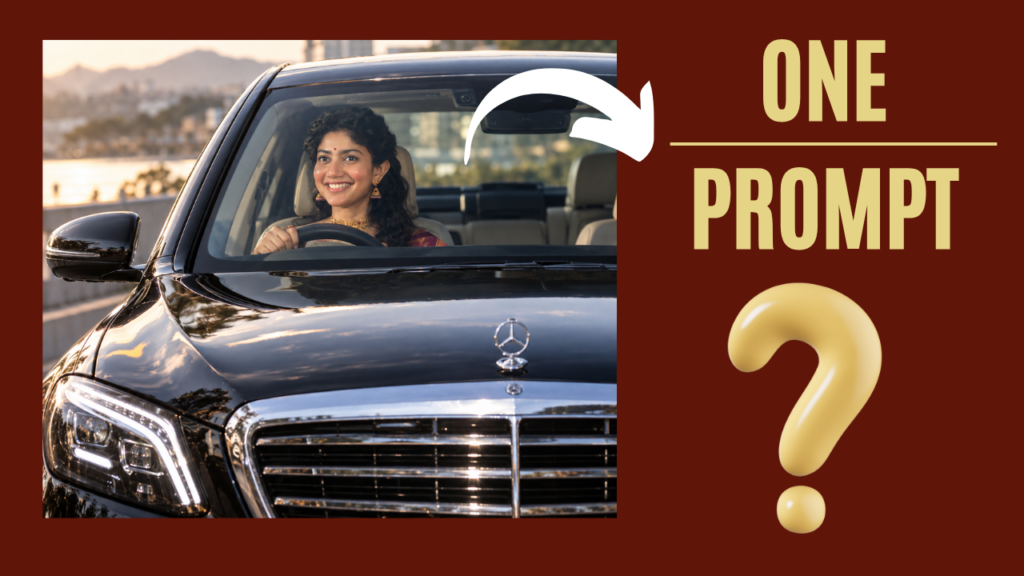
    Turn my uploaded photo into a viral-looking ultra-realistic luxury car portrait.

Keep my exact face, identity, skin tone, hairstyle, facial hair, and natural features unchanged. Do not create a new face.

Place me sitting confidently in the driver's seat of a glossy black premium luxury sedan. Capture the scene from the front of the car, with the large grille and LED headlights dominating the foreground while my face is naturally visible through the windshield.

Make the car look expensive, polished, and photorealistic. Add realistic windshield reflections, subtle sunlight, natural shadows, glossy black paint reflections, detailed grille chrome, realistic headlights, and authentic outdoor surroundings.

My face should be sharp and naturally illuminated through the windshield. Keep my expression relaxed and confident. Make my body position, hands on the steering wheel, shoulders, and posture completely natural.

Use professional automotive photography, realistic camera optics, cinematic depth, high-detail skin texture, natural colors, realistic reflections, and premium photographic lighting.

Make it look like a real photograph taken outside a luxury car, not an AI image.

No text, captions, watermark, artificial-looking skin, face distortion, extra fingers, deformed hands, duplicate person, unrealistic reflections, or cartoon effects.
Join Us on WhatsApp for the Latest AI Prompts